School Bag Laser Engrave File
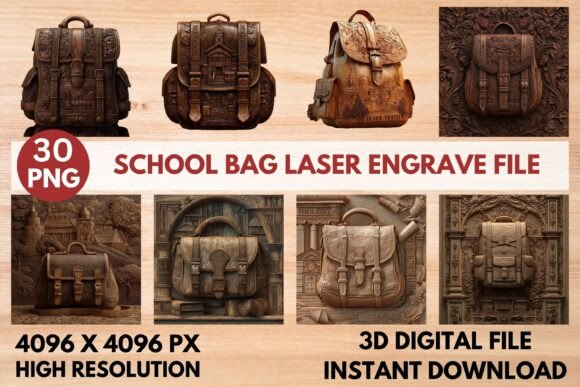
Transform ordinary items into personalized treasures with a versatile School Bag Laser Engrave File. This premium design asset opens up a world of creative possibilities, allowing you to etch intricate patterns onto wood, leather, textiles, and more with professional precision. Whether you're a hobbyist or a small business owner, this file is designed to help you achieve stunning, detailed results that elevate your projects.
This isn't just a simple graphic; it's a complete toolkit for laser engraving. The collection includes 15 coloring PNGs and 15 grayscale PNGs, all at a high resolution of 4096x4096 pixels. The transparent backgrounds ensure clean integration into your designs, while the optimized grayscale files are specifically crafted for laser machines to produce sharp, crisp lines and beautiful shading. It’s an ideal design asset for anyone using a Glowforge, Lightburn, xTool, or CO₂ laser cutter.
Creative Applications and Project Ideas
The true value of this School Bag Laser Engrave File lies in its flexibility. It’s more than a single-use template; it’s a foundation for countless projects. Consider using the engraving pattern to create:
- Custom Home Décor: Add a sophisticated touch to wooden signs, coasters, or picture frames.
- Personalized Stationery: Engrave notebooks, pencil cases, or desk organizers for a unique gift or personal collection.
- Fashion and Textiles: Create distinctive patterns on leather goods, denim, or canvas tote bags.
- Packaging and Branding: Design memorable product packaging, labels, or branded merchandise that stands out.
- Tableware and Gifts: Personalize cutting boards, cheese boards, or wooden utensils for special occasions.
This design adapts to the mood of your project, whether it's playful, elegant, or rustic. Its versatility makes it a valuable addition to your library of design assets, much like a high-quality typeface that can be used across logos, posters, and web graphics.
Tips for Achieving the Best Engraving Results
To ensure your final product looks polished and professional, a few practical steps are key. First, always test your settings on a scrap piece of your material. For Glowforge users, the recommended starting point is a speed of 1000, power of 90, and 270 lines per inch, but adjustments may be needed based on the wood's lightness and grain.
When using LightBurn, applying the Jarvis dither filter to the grayscale PNG is advised for optimal detail. Remember to resize the file to fit your specific product dimensions before engraving. While the file is high-resolution, proper scaling ensures the design remains crisp. Think of this process like choosing the right font weight for a headline—you need to match the tool to the task for maximum impact.
Why Quality Design Files Matter
Choosing a well-crafted engraving file is similar to selecting a premium font for a brand identity. A poorly designed asset can result in blurry lines, uneven shading, and a final product that looks amateur. This School Bag Laser Engrave File, with its high-resolution details and machine-specific optimization, helps you maintain visual consistency and achieve a professional presentation every time.
Investing in quality design resources saves time, reduces material waste, and ultimately strengthens your creative output. Whether you're building a product line or crafting a one-of-a-kind gift, starting with a reliable and detailed file sets the stage for success, allowing your craftsmanship to truly shine through.