Moose Laser Engrave File: High-Resolution PNG for Your Projects
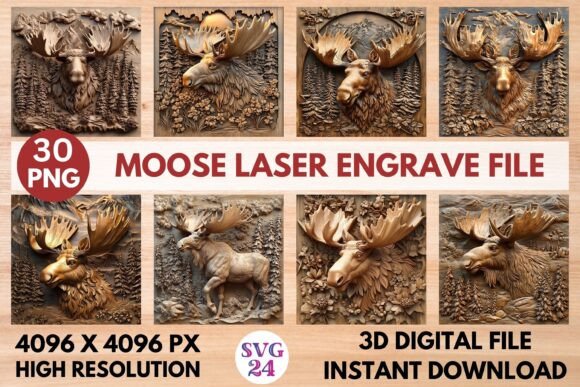
Imagine bringing the majestic, rugged spirit of the wilderness into your next creative project with flawless precision. That's the power of a dedicated digital asset like the Moose Laser Engrave File, a high-resolution PNG designed specifically for laser engraving. It's more than just an image; it's a tool crafted to help makers, designers, and small business owners produce stunning, professional-grade results on a variety of materials.
This particular asset is optimized for popular laser engraving software like Lightburn, xTool, Glowforge, and Sculpfun, ensuring a smooth workflow from screen to final product. Whether you're working with wood, acrylic, leather, or even textiles, the level of detail captured in the 4096x4096 resolution allows for incredibly sharp and intricate engravings. The inclusion of both coloring and grayscale versions offers fantastic flexibility, letting you choose the perfect effect for your piece.
Creative Applications for a Nature-Inspired Engrave
The versatility of this design file opens up a world of possibilities. It’s an ideal design asset for anyone looking to create unique, nature-themed products. Consider these practical use cases:
- Home Décor & Wall Art: Create stunning statement pieces for cabins, lodges, or any nature lover's space. A detailed moose engraving on a wooden plaque or acrylic panel makes for compelling wall art.
- Custom Gifts & Stationery: Personalize gifts with a touch of wilderness charm. Engrave the design onto leather journals, wooden coasters, or custom packaging for a truly memorable present.
- Apparel & Merchandise: Apply the engraving to textiles for unique apparel prints or create branded merchandise like engraved tags, keychains, or ornaments for outdoor or lifestyle brands.
- Editorial & Packaging Design: Use the high-resolution PNG as a standalone graphic in digital layouts, poster designs, or to add a rustic, authentic touch to product packaging.
Tips for Integrating Engrave Files into Your Workflow
When selecting any digital design asset, including a laser engrave file, a few key considerations ensure a smooth process and a polished outcome. First, always verify compatibility with your specific machine and software before downloading. Understanding the file format—in this case, a PNG set, not a layered SVG—is crucial for managing expectations and technical setup.
Next, think about the final presentation. Test the design on a scrap piece of your chosen material to check how the details translate at your desired scale. While the file is provided at a high resolution, proper resizing for your project is an important step. Finally, consider the broader design context. How does this engraving complement other elements in your project? Pairing it with a clean, modern sans serif font for accompanying text can create a beautiful contrast that makes the natural imagery stand out even more.
Choosing the right design assets is about finding tools that align with your creative vision and technical needs. A well-crafted file like this provides a reliable foundation, saving you time and helping you achieve a professional finish that elevates your work. It’s an investment in quality that reflects directly in the craftsmanship of your final product, whether it's a personal project or an item for your shop.