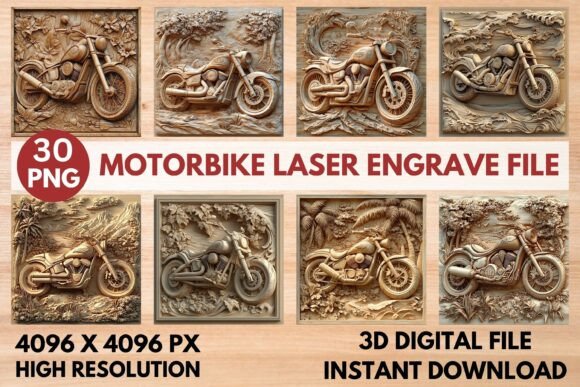
Motorbike Laser Engrave File: Premium Design for Engraving
Imagine turning a simple piece of wood, leather, or acrylic into a stunning, professional-grade piece of art with the precision of a laser. The right digital design is the key to unlocking that potential, and a specialized Motorbike Laser Engrave File is crafted specifically for this purpose. This isn't just any image; it's a high-resolution grayscale PNG, optimized to translate your creative vision into crisp, detailed engravings on a variety of materials.
Why Choose a Dedicated Laser Engrave File?
Standard image files often fall short when used with laser machines. They can produce blurry edges, inconsistent depth, or lack the tonal range needed for a dynamic result. A premium file designed for laser engraving, like this motorbike-themed set, is built differently. The original grayscale image is carefully prepared to work with your machine's software, allowing for nuanced shading that creates a realistic 3D effect. This attention to detail means cleaner lines, better contrast, and a more polished final product, whether you're creating a personal keepsake or items for a small business.
Endless Creative Applications
The versatility of a high-quality engrave file is one of its greatest strengths. With this design, you can move far beyond a single project. The included transparent background makes it easy to layer and integrate into different layouts. Consider using it for:
- Home Décor & Wood Crafts: Create personalized signs, wall art, coasters, or custom furniture accents that showcase a passion for motorcycles.
- Fashion & Accessories: Engrave unique patterns onto leather belts, wallets, journal covers, or even customize denim jackets and textiles.
- Packaging & Stationery: Design standout product packaging, business cards, or branded merchandise that leaves a lasting impression.
- Digital & Print Projects: The high-resolution coloring and grayscale PNGs are also excellent for posters, social media graphics, or website elements, offering a gritty, authentic texture.
Tips for a Flawless Engraving Process
To get the best results from your Motorbike Laser Engrave File, a little preparation goes a long way. First, always verify compatibility with your specific machine and software, such as Lightburn, Glowforge, or xTool. The file is optimized for these platforms, but checking ensures a smooth workflow.
Material choice significantly impacts the outcome. Lighter woods like maple or birch typically provide the best contrast for detailed engravings. For software settings, using a dithering filter like Jarvis in Lightburn is recommended for grayscale images to achieve optimal detail. Start with the suggested settings—like a speed of 1000 and power of 90 for Glowforge—but always perform a test run on a scrap piece of your material to fine-tune the depth and darkness.
Choosing a design asset that is purpose-built for your tools elevates your work from amateur to professional. It saves you time troubleshooting poor image quality and lets you focus on the creative process. A well-crafted file ensures your projects are not only visually striking but also executed with the precision that modern laser technology allows, making every piece look intentional and expertly made.